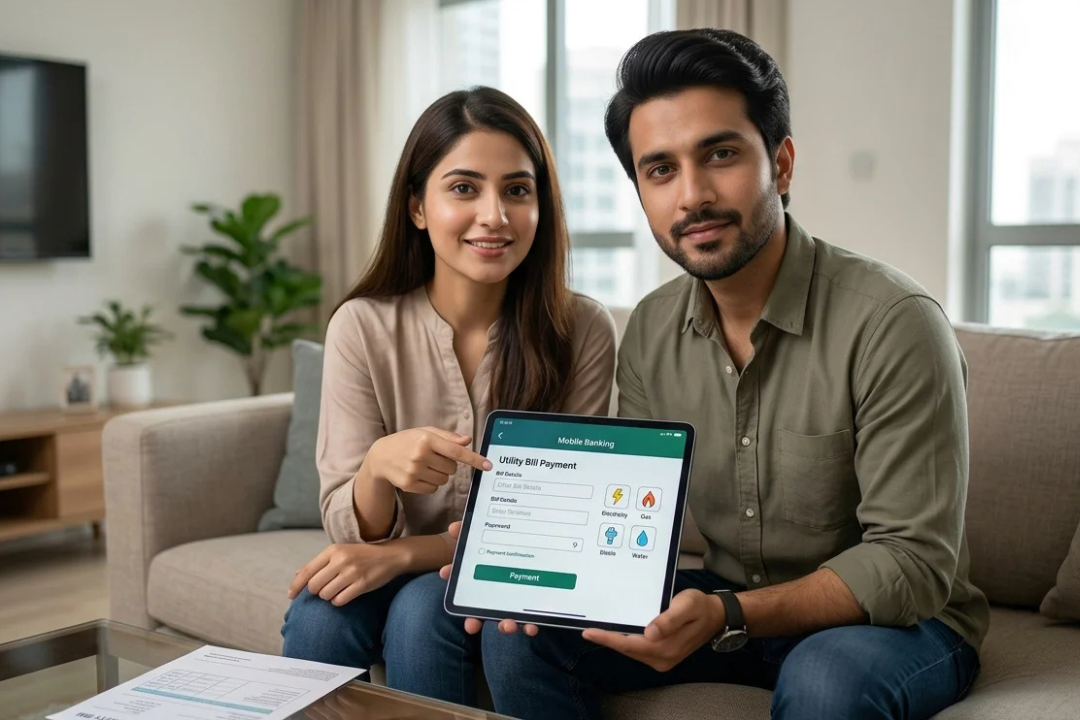
Customers of HBL in Pakistan can easily do a variety of routine banking tasks online with HBL Internet Banking. Eligible consumers can use online banking to check account information, examine transactions, transfer funds, make supported bill payments, and manage certain banking services from an internet-connected device without going to a branch for every routine request. The goal of HBL’s digital banking services is to increase accessibility to banking while upholding security and authentication standards for online transactions. Whether you are searching for HBL Internet Banking login, HBL online banking registration, account statements, fund transfers, bill payments, Login ID help, password information, or online banking security tips, understanding the available features can make your digital banking experience much easier.
What Is HBL Internet Banking?
HBL Internet Banking is HBL’s web-based banking service that allows eligible customers to access selected banking facilities online. It is particularly useful for customers who want to manage their finances without making a branch visit for every simple banking requirement. Depending on your account and the services available to you, online banking can provide access to account information, transaction details, transfers, payments, and other digital services.
HBL’s official Internet Banking documentation explains that the service enables customers to obtain account information and provides instructions for certain banking transactions through electronic channels. HBL also distinguishes between the credentials used to access the service and the security information used to authorize financial transactions.
For customers in Pakistan, this makes HBL Internet Banking a useful option for managing routine financial activities from home, the office, or another convenient location.
HBL Internet Banking Login
If you already have an active HBL Internet Banking account, you can access the service through HBL’s official online banking platform. Before entering any confidential information, please make sure you are using an official HBL website and not a link received from an unknown source.
The general HBL Internet Banking login process involves entering your Login ID and password and completing any additional authentication requested by the bank. Depending on the transaction or security situation, HBL may require additional verification.
How to Log In to HBL Internet Banking

Please follow these basic steps:
- Open the official HBL Internet Banking website.
- Enter your HBL Login ID.
- Enter your Internet Banking password.
- Complete any verification requested by HBL.
- Wait for authentication to complete.
- Access the online banking services available to your account.
- When finished, please log out, particularly if you are using a shared computer.
If you cannot remember your credentials, it is better to use HBL’s official recovery process rather than repeatedly entering incorrect information.
HBL Internet Banking Registration
Customers who do not already have Internet Banking access may need to complete the relevant registration process. HBL provides an official Internet Banking application form for individual customers, which includes information such as personal details, contact information, account details, and preferred Login IDs.
The exact registration process may depend on the customer’s account, eligibility, and HBL’s current digital banking procedures. For this reason, please follow the instructions provided through HBL’s official channels rather than relying on outdated third-party instructions.
Information You May Need for Registration
Depending on the registration route, you may be asked for:
- CNIC or identification information
- Date of birth
- Registered mobile number
- Email address
- HBL account details
- Login ID preferences
- Other customer-verification information
HBL’s individual Internet Banking application form asks customers to provide preferred Login IDs, allowing the bank to assign an available option when necessary.
Main HBL Internet Banking Features
One of the biggest benefits of online banking is that it brings several everyday services together in one digital platform. The exact features available can vary according to the customer’s account and HBL’s current service offering.
| HBL Internet Banking Feature | What It Can Help You Do |
|---|---|
| Account information | Review available account details |
| Transaction history | Monitor deposits, withdrawals, and other activity |
| Account statements | Access available statement information |
| Fund transfers | Make supported transfers between eligible accounts |
| Bill payments | Pay available bills through online channels |
| Digital payments | Complete supported payment transactions |
| Security credentials | Manage login and transaction authentication |
| Online account management | Handle selected banking requests electronically |
HBL’s official Internet Banking terms describe the service as providing account information and allowing customers to issue instructions for certain banking transactions.
How to Check Your HBL Account Online
One of the easiest reasons to use Internet banking is to check your account information online. Customers can check their online banking profile’s account and transaction details after logging in.
You can monitor your spending and spot unusual transactions by often checking your account. Please get in touch with HBL as soon as possible via an official support channel if you observe any activity that you do not recognise.
HBL Internet Banking Account Statement
An account statement provides a useful record of financial activity. Through available online banking services, customers can review account transactions and other statement information without necessarily visiting a branch.
When reviewing your HBL account statement, you may want to check:
- Recent deposits
- Withdrawals
- Fund transfers
- Bill payments
- Other account activity
- Transaction dates and amounts
Keeping track of your account regularly can make personal financial management easier and help you identify unexpected activity quickly.
HBL Internet Banking Fund Transfer

Fund transfers are another important part of digital banking. Eligible customers can use supported HBL online banking facilities to make certain transfers without visiting an HBL branch.
Before confirming a transfer, please take a moment to verify the recipient and transaction information carefully.
For your convenience, consider checking:
- Beneficiary name
- Account number
- IBAN, where applicable
- Bank information
- Transfer amount
- Transaction details
- Authentication information
HBL’s official Internet Banking terms explain that a Transaction Password is used for financial transactions, while the Login Password is associated with accessing the Internet Banking service.
Please never share either credential with another person.
HBL Internet Banking Bill Payment
Online bill payment can save time for customers who regularly manage household and personal expenses. Where supported, customers can use digital banking to make eligible bill payments instead of visiting a payment counter.
A typical payment process may involve selecting the relevant biller, entering the required reference information, checking the payment amount, and completing the requested authentication.
For a smoother experience, please:
- Select the correct biller.
- Enter the consumer or reference number carefully.
- Confirm the amount before payment.
- Review all information before authorization.
- Save the transaction reference or receipt when available.
Because payment categories and procedures can change, please rely on the options currently shown in your HBL account.
HBL Internet Banking Login ID and Password
Your Login ID and password are important parts of your online banking security. HBL’s official Internet Banking documentation requires customers to protect their Login Password and Transaction Password and not disclose them to other people.
A few simple habits can help protect your account:
- Please choose a strong password.
- Avoid obvious personal information in passwords.
- Do not reuse your banking password on unrelated websites.
- Never send your password through social media or messaging applications.
- Avoid saving banking passwords on public computers.
- Change credentials when required by the bank.
- Never share authentication codes with anyone.
If you believe someone may know your banking credentials, please contact HBL through its official channels immediately.
What to Do If HBL Internet Banking Login Is Not Working
There can be several reasons for an online banking login problem. You may have entered an incorrect Login ID or password, your internet connection may be unstable, or there may be a temporary issue with the service.
If your HBL Internet Banking login does not work, please try the following:
- Check your internet connection.
- Carefully re-enter your Login ID.
- Confirm that your password has been entered correctly.
- Avoid repeatedly guessing an unknown password.
- Use HBL’s official recovery option if you have forgotten your credentials.
- Try again later if there appears to be a temporary service issue.
- Contact HBL through an official support channel if the problem continues.
Please do not provide your password, OTP, or transaction credentials to an individual who claims to offer unofficial technical support.
HBL Internet Banking Security Tips
Security is an important part of online banking. HBL’s official documentation places responsibility on customers to protect their login and transaction credentials and to notify the bank if they believe their security information has been compromised.
For a safer online banking experience, please follow these polite but important precautions:
- Please use the official HBL website for online banking.
- Never share your OTP, password, or Transaction Password.
- Please avoid clicking unknown banking links received by email or text.
- Do not enter banking information on suspicious websites.
- Please avoid using public computers for sensitive banking activities.
- Keep your smartphone, computer, browser, and banking applications updated.
- Review your transactions regularly.
- Please log out after completing your banking session.
- If you notice suspicious account activity, contact HBL promptly.
A genuine bank representative should not ask you to disclose confidential authentication information such as your password or OTP.
HBL Internet Banking for Everyday Financial Management
Beyond individual transactions, online banking can also support better personal financial management. By regularly reviewing account activity, customers can understand where their money is going, monitor incoming payments, identify recurring expenses, and keep better records of their financial activity.
For example, checking your transaction history before creating a monthly budget can help you identify unnecessary expenses. Similarly, reviewing bill payments and transfers can make it easier to organize household finances.
This is one reason HBL Internet Banking is more than simply a login service. It can become part of a customer’s regular digital banking routine.
Frequently Asked Questions About HBL Internet Banking
What is HBL Internet Banking?
HBL Internet Banking is an online banking service that allows eligible HBL customers to access account information and perform supported banking activities through an internet-connected device.
How do I log in to HBL Internet Banking?
Please use HBL’s official Internet Banking platform, enter your Login ID and password, and complete any additional verification requested by HBL.
Can I check my HBL account information online?
Yes. Eligible customers can use Internet Banking to access available account information and transaction details.
Can I transfer money through HBL Internet Banking?
Yes, supported fund-transfer services are available to eligible customers, subject to account features, applicable limits, and authentication requirements.
Can I pay bills through HBL Internet Banking?
Yes, customers can use supported digital payment facilities for eligible bills and payment categories.
Final Thoughts
HBL Internet Banking provides a practical way for eligible HBL customers to manage many routine banking activities online. Online banking may make everyday financial management easier and eliminate the need for pointless branch trips. It can be used for everything from analysing transactions and verifying account information to making supported payments and transfers. Using the official HBL platform, carefully reviewing each transaction before confirming it, and keeping your login ID, password, OTP, and transaction password private are the best strategies. Good security practices should always be a part of your digital banking routine since HBL’s stated conditions stress how important it is to preserve these credentials.